Exploring Plugins and Marketplace
Editions: Open Source · Free Cloud · Pro
Authors need to know three surfaces. The browser never talks to GitHub. Engine verifies the Ed25519 catalog, then downloads release zips.
1. Super-admin marketplace
Path: /administrator/plugins.
Requires JWT is_super_admin and Engine PLUGIN_REMOTE_REGISTRY_ENABLED. Install, Update, Uninstall, Restart. This is host lifecycle — not project activation.
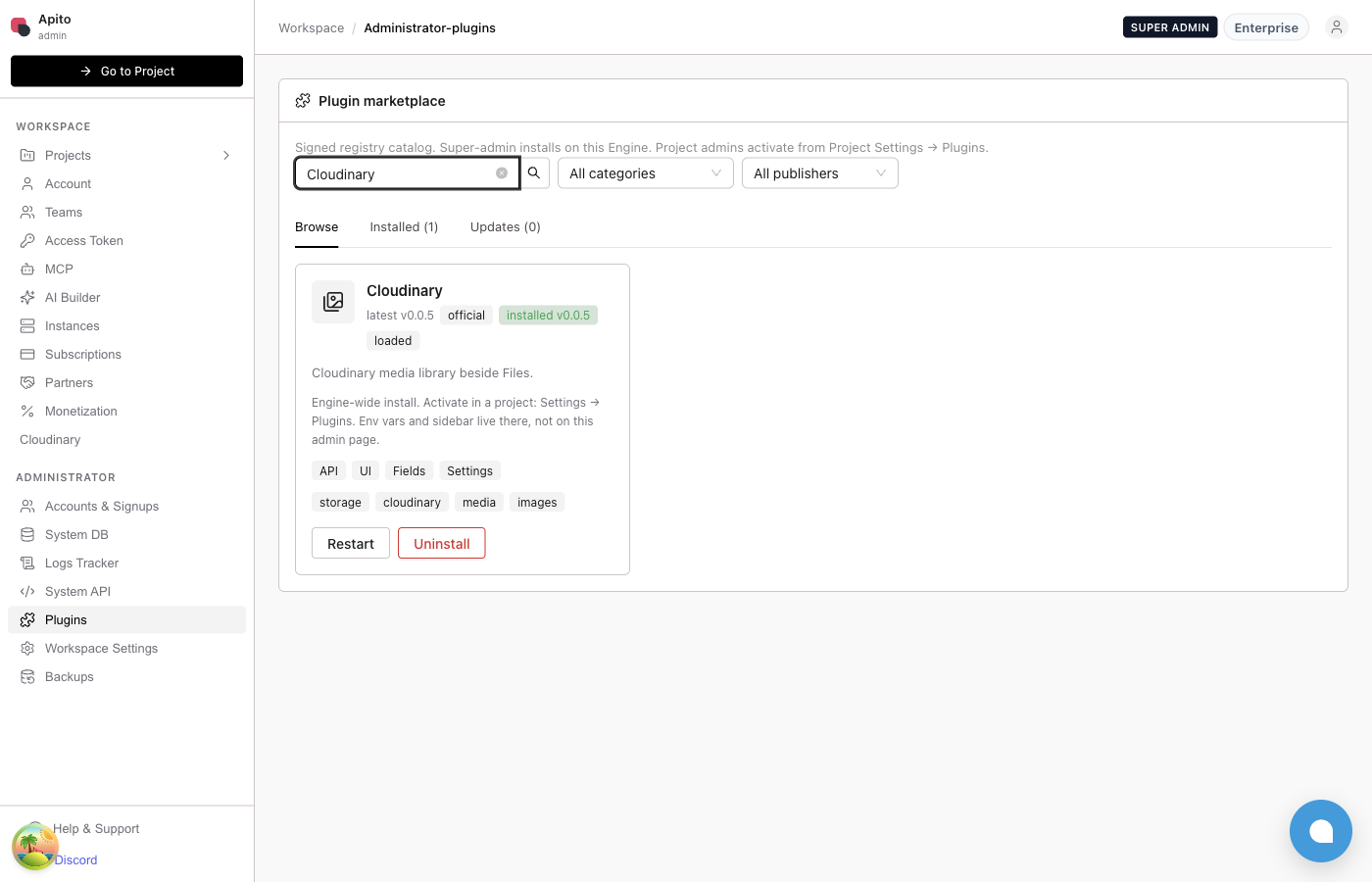
The Cloudinary card shows official, latest vs installed version, and loaded when the HashiCorp child is up. Stubs without a reviewed release show Not installable.
Catalog statuses
| Status | Meaning |
|---|---|
available |
Reviewed release zips; Install / Update works |
catalog-stub |
Placeholder in the signed catalog; no installable zip |
blocked |
Hidden from install |
“Not installable” on a stub is expected. Do not file a bug until the plugin has a GitHub Release and registry/<id>.json with pinned SHA-256 URLs.
2. Project admin — activate
Path: Project Settings → Plugins (/console/settings/plugins).
Only plugins already installed on this Engine appear. Activate, deactivate, set env_vars. Add plugin does not download from GitHub.
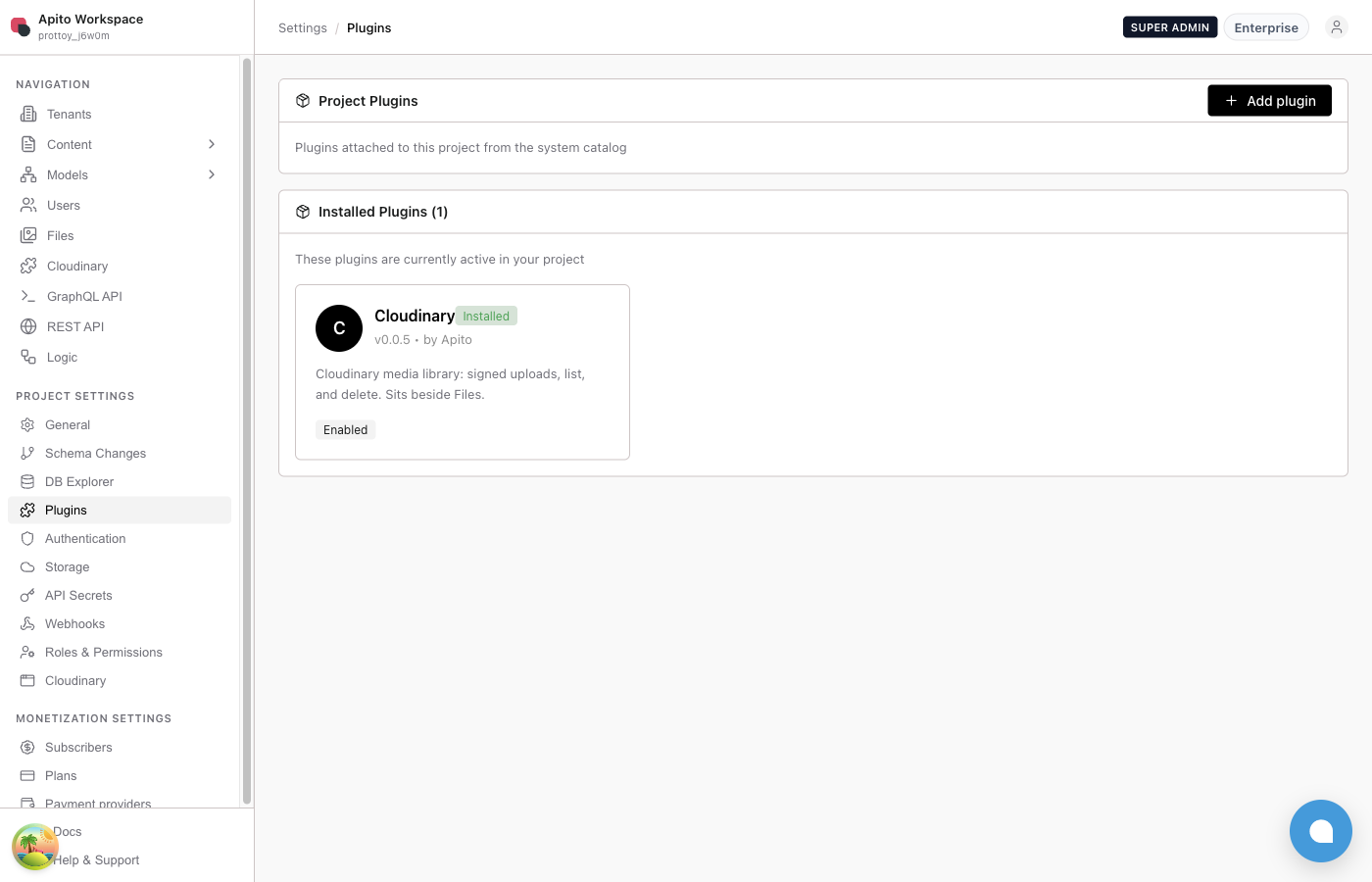
Walkthrough (Cloudinary):
- Super-admin: Administrator → Plugins → Install (or Update)
hc-cloudinary-plugin. - Open a project (example: Prottoy
prottoy_j6w0m). - Project Settings → Plugins → activate Cloudinary.
- Open Cloudinary settings and set
CLOUDINARY_*keys (values are secrets — keep them masked). - Sidebar grows a Cloudinary item after Files (
after: storage).
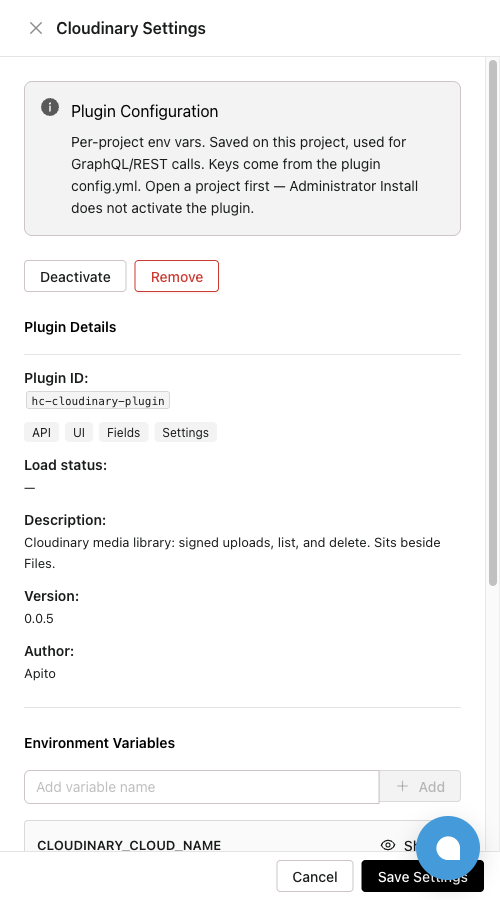
Administrator Install does not activate the plugin on any project.
3. Public catalog
Humans browse apito.io/plugins. Engine install uses GitHub catalog-v1 (catalog.json + catalog.sig), not this HTML page.
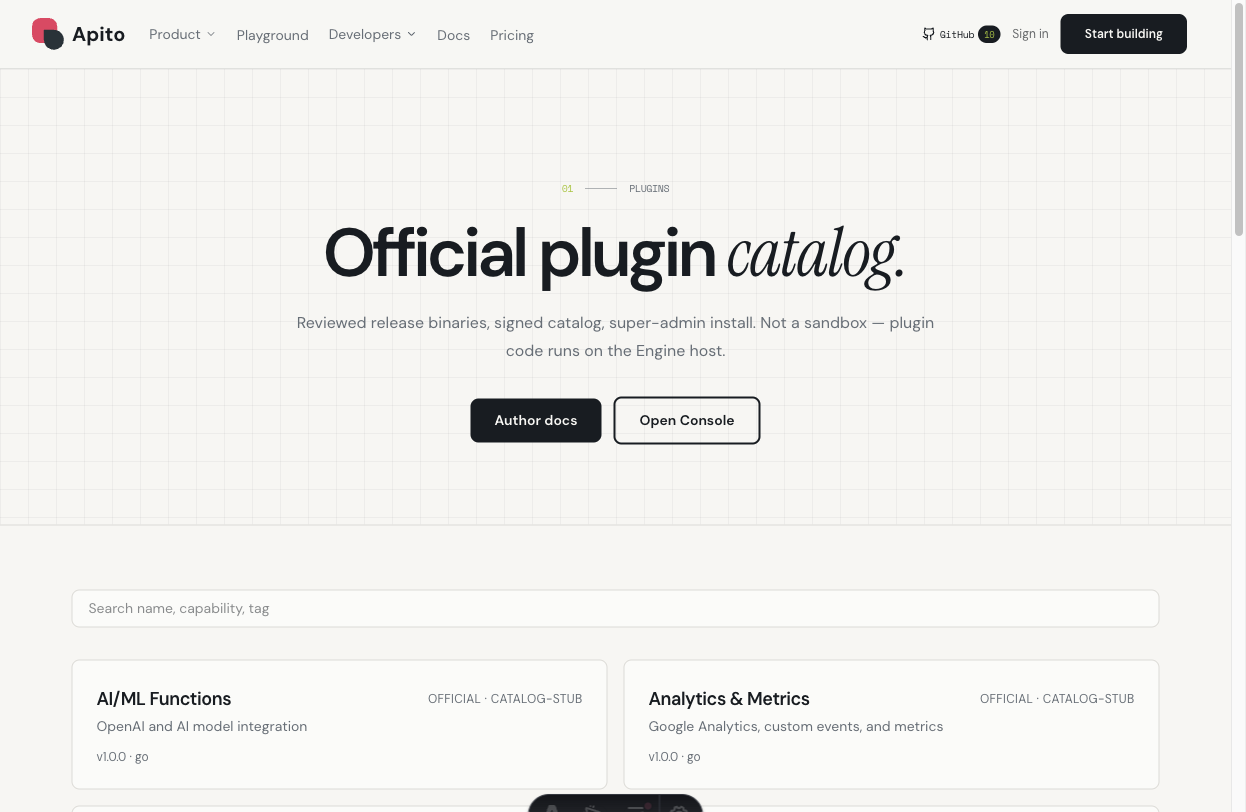
Submit new plugins via PR to apito-io/plugins after a GitHub Release exists. See How to Publish a Plugin.
REST the Console uses (debug)
| Method | Path | Why |
|---|---|---|
GET |
/system/plugin/catalog |
Signed marketplace cards, versions, installable vs stub |
GET |
/system/plugin/manifest |
Project-scoped contributions, activated, bundle_sha256 |
GET |
/system/plugin/:id/ui.js |
Official signed Console bundle |
Cookie auth. A Network Error on catalog usually means Engine is down or CORS/cookie failed — not an empty registry.
Next: Writing Your First Plugin.