Writing Your First Plugin
Editions: Open Source · Free Cloud · Pro
Do not invent a toy hello-world. Walk the production plugin: hc-cloudinary-plugin. The tiny SDK sample remains at Go plugin hello-world.
Repo layout
hc-cloudinary-plugin/
  main.go
  config.yml
  ui/                 # React sources; esbuild → ui.js
  ui.js               # gitignored; CI-built into the release zip
  .github/workflows/build-release.yml
Zip contents at archive root (not nested): binary + config.yml + ui.js.
Register with the Go SDK
sdk.Init then queries, mutations, REST, Serve():
plugin := sdk.Init("hc-cloudinary-plugin", "0.0.5", "")

plugin.RegisterMutation("cloudinarySignUpload",
  sdk.FieldWithArgs("String", "Return a Cloudinary upload signature as JSON", map[string]interface{}{
    "folder":    sdk.StringArg("Optional folder override"),
    "public_id": sdk.StringArg("Optional public id"),
  }),
  signUploadResolver,
)

plugin.RegisterQuery("cloudinaryAssets",
  sdk.FieldWithArgs("String", "List Cloudinary assets as JSON", map[string]interface{}{
    "next_cursor": sdk.StringArg("Pagination cursor"),
    "max_results": sdk.IntArg("Page size"),
  }),
  listAssetsResolver,
)

plugin.RegisterRESTAPI(sdk.POSTEndpoint("/sign", "Sign a Cloudinary upload").Build(), signRESTHandler)
plugin.RegisterRESTAPI(sdk.GETEndpoint("/assets", "List Cloudinary assets").Build(), listRESTHandler)
plugin.RegisterRESTAPI(sdk.POSTEndpoint("/delete", "Delete a Cloudinary asset").Build(), deleteRESTHandler)

plugin.Serve()
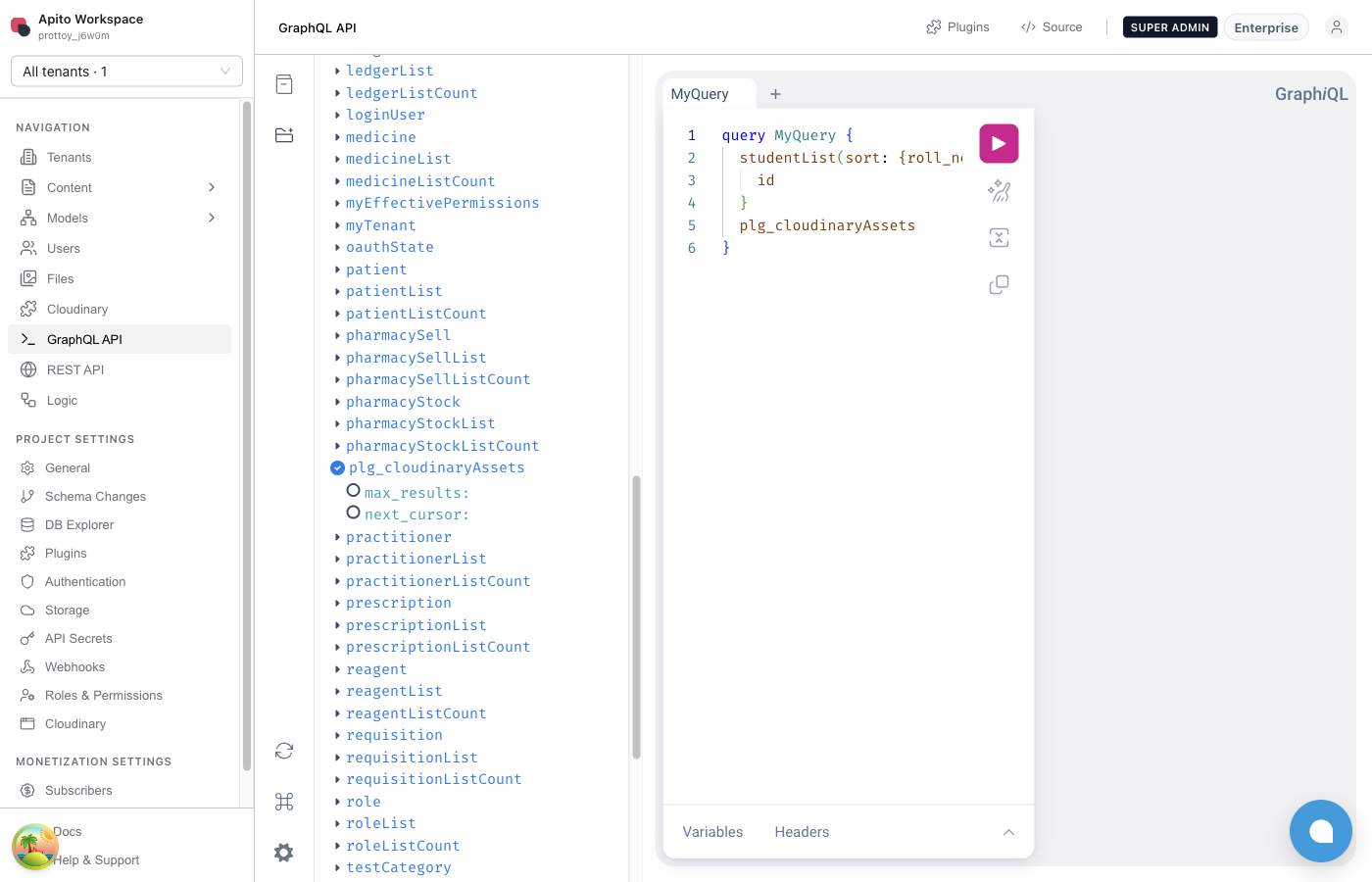
Host GraphQL names:
| SDK name | Public field |
|---|---|
cloudinaryAssets |
plg_cloudinaryAssets |
cloudinarySignUpload |
plg_cloudinarySignUpload |
REST
| Method | Plugin path | Engine host | Console SDK |
|---|---|---|---|
GET |
/assets |
/hc-cloudinary-plugin/assets |
/plugin/hc-cloudinary-plugin/assets |
POST |
/sign |
/hc-cloudinary-plugin/sign |
/plugin/hc-cloudinary-plugin/sign |
POST |
/delete |
/hc-cloudinary-plugin/delete |
/plugin/hc-cloudinary-plugin/delete |
project.rest requires project id and activation (X-Apito-Project-ID or project_id).
contributions.api
Handwritten YAML overlays live RPC names from SchemaRegister:
contributions:
  api:
    scope: project
    queries:
      - name: cloudinaryAssets
        description: List Cloudinary assets for this project
    mutations:
      - name: cloudinarySignUpload
        description: Sign a Cloudinary upload for this project
    rest:
      - method: GET
        path: /assets
        description: List assets
      - method: POST
        path: /sign
        description: Sign upload
      - method: POST
        path: /delete
        description: Delete asset
The overlay is documentation + Console manifest. Resolvers still come from RegisterQuery / RegisterMutation / RegisterRESTAPI.
GraphQL snippets
List assets (returns JSON string):
query ListCloudinary {
  plg_cloudinaryAssets(max_results: 30)
}
Sign an upload:
mutation SignCloudinary($folder: String) {
  plg_cloudinarySignUpload(folder: $folder)
}
The mutation JSON includes cloud_name, api_key, timestamp, signature, and folder. The browser uploads directly to Cloudinary with that signature. The plugin never proxies the file bytes.
Per-project env
| Key | Role |
|---|---|
CLOUDINARY_CLOUD_NAME |
Cloud id |
CLOUDINARY_API_KEY |
API key |
CLOUDINARY_API_SECRET |
Signing secret |
CLOUDINARY_FOLDER |
Optional prefix / default folder |
Set these on the project, not on Administrator → Plugins. Engine injects them into Execute args.
Version lock
git tag vX.Y.Z == config.yml plugin.version == sdk.Init version.
Cloudinary CI fails the release if they drift. Engine also stamps catalog runtime.version onto extracted YAML when id, caps, and handshake already match — do not rely on that as a substitute for bumping config.yml.
Local loop
go buildthe binary for the Engine OS/arch.- Drop binary +
config.yml(+ui.jsif you have UI) under Engineplugins/hc-cloudinary-plugin/. - Restart Engine or
POST /system/plugin/hc-cloudinary-plugin/restart. - Activate on a project. Set env vars.
- Hit GraphQL explorer:
plg_cloudinaryAssets/plg_cloudinarySignUpload.
Next: Including UI Support.